Introduction
What if I told you that you could supercharge your Excel spreadsheets and transform them into powerful software applications? Applications that will connect to your internal and external data sources via APIs, with forms that allow your users to perform specific actions and enter data in a controlled and validated way. Applications that will perform your complex data processing tasks with just a click of a button, all contained within Excel itself, and all without introducing external plug-ins or additional software licences.
It sounds pretty good, doesn't it? But this isn't yet another article on Artificial Intelligence, no, I'm talking about VBA.
Now VBA (Visual Basic for Applications) has been around for a long time and yet it still surprises me how many self-appointed Excel "gurus" and Data "experts" out there have never actually built a production Excel application with VBA, cannot even code in VBA and most importantly don't know how, why or where they would use VBA to their advantage. I could walk into the office of any Finance Team around the world and they're almost certainly using Excel. Yet so many Excel users out there either ignore or are oblivious to the fact that there's an entire programming environment sitting right inside Excel just waiting to be explored and enjoyed. And yes, I did mean to say "enjoyed".
The 50-Budget Problem
I don't know about you, but I'm always irritated by articles that attempt to force their technology opinion on you but are heavy on theory but light on real world practical examples. So instead, let me make my case for VBA in 2026 via a real-world scenario:
Sarah is an Accountant and in charge of budgeting for a large frozen food manufacturer with 50 sites across Europe. Every quarter she needs to update the company budget by collecting and collating budget change information from the 50 heads across different parts of the organization who are spread out geographically and don't have access to the central finance system. It's currently a very manual process.
From Spreadsheet to Micro-Application
Now, like most software challenges, there are of course many solutions that we could build that will solve Sarah's problem. But Sarah's existing process already runs in Excel, and she is comfortable using it so let's explore whether we can build her an Excel "application" with the minimum of time and hassle.
Here is just one approach we could use:
- 1. Get the data: Build a form that allows Sarah to select the required year from a dropdown and then press a button to pull in the current budget data.
- 2. Create a template: Create a blank Excel template with a form to ensure that each department head enters everything correctly and that inputs are validated before submission.
- 3. Populating the templates: Add a button to Sarah's workbook which will create 50 budget workbooks using our master template, each containing the relevant cost centre's specific budget data.
- 4. Collecting the templates: Once the completed templates have been returned, a button in Sarah's workbook will pull in the data from each template and add it to a single budget sheet.
- 5. Exporting the data: Finally, a button that allows Sarah to validate the data, and extract it into a correctly formatted file ready for upload to her finance system.
At this point, you can see that we're not really talking about a simple spreadsheet anymore. We've got validation, data retrieval, file generation, file handling, data aggregation, data processing, data validation and data export. So, it's all starting to resemble a small software application – just one that happens to run completely inside Excel.
The Organisational Friction Factor
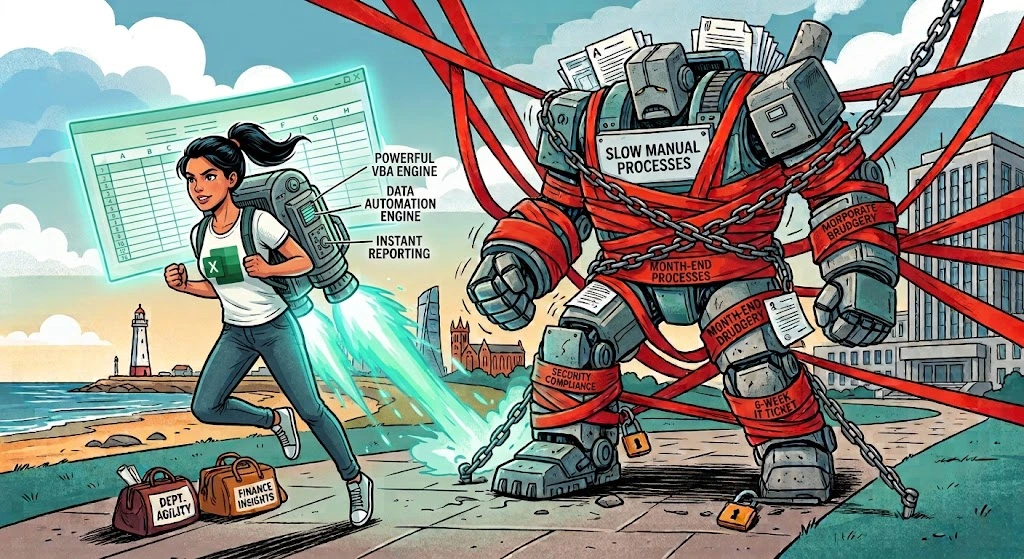
So, your first question here might be: "ok but shouldn't we start exploring more modern solutions for this, e.g. web applications, databases, low code/no code and/or cloud?" And that would be a perfectly reasonable question, but bear in mind that once we start down those routes, then before we can even start building a solution, we're already introducing the complexity of approvals, costs, provisioning, security, licensing, connectivity, testing, deployment and ongoing maintenance.
This is the "real world" factor that rarely appears in architecture discussions: organisational friction. I can tell you from experience that a technically superior solution can quickly become a mini nightmare if obtaining the licences, infrastructure, permissions and approvals required to deploy it takes longer and costs more than the problem itself. The reality is that the best technology solution in the world is useless if you can't get it approved, deployed and maintained in the organisation you're working in.
My question back to you would be this: "why would we overcomplicate things when we can build a perfectly capable solution that gives Sarah everything she needs all natively in Excel today using VBA?"
Python
Ok, so what about using Python instead of VBA I hear you say.
Firstly, let me clarify that I have been building financial solutions with Python for well over 10 years. I love Python, it's an incredibly powerful language, especially when it comes to machine learning and performing complex operations with extremely large datasets. But let's re-examine Sarah's challenge. Are we talking about a complex operation with an extremely large dataset? Not really. In fact, I'd say it is more "fiddly" than complex, and 50 departmental budgets is not even close to being a large dataset.
Note also here that we're introducing the complexity of having to introduce Python into our environment when Excel already gives us the objects, libraries, user interface and integration points we need.
So, the question here isn't whether Python can do it. Of course it can. The question is what Python would give us in this scenario that VBA doesn't? VBA lives inside Excel i.e. the very thing we're trying to automate - that's its killer feature.
The whole idea for this article was actually triggered by a recent conversation with a friend of mine who is an FD for a large pharmaceutical organisation. A junior member of his team - a recent computer science graduate - suggested converting all of their robust, working and established VBA scripts to Python. It sounds plausible and my friend didn't immediately say no, instead he asked the most important question: "what does that actually solve?"
Artificial Intelligence
As it's currently 2026, your next question might well be "couldn't we use AI for this?" Well, I'd suggest that this isn't really an "AI" problem. It's an "automation" problem. The process is known, the rules are known and the actions are deterministic. We don't need AI to "decide" anything here because the process decisions have already been defined. We simply need an automated solution to consistently perform the predefined steps. But could we use AI to help us create the VBA code for our automation? Yes, absolutely. In fact, AI is VBA's modern secret weapon. Instead of spending hours labouring over syntax, today you can use AI to generate clean, robust VBA code in seconds.
VBA Advantages
My assumption here is that if Sarah is working in Excel already, then we're probably talking about an Excel-sized problem - which is exactly what VBA was designed for. The massive advantage VBA has over other options - which the programmers out there will appreciate - is that Excel already exposes the object model, VBA runtime and a huge range of functionality - including building forms - that we need to build a self-contained application. This means we can focus all of our time on the task of automation instead of fiddling with integration and trying to get "things" to work with other "things", meaning that it's a comparatively painless and much quicker route to building and deploying a capable solution.
My point here is that if we can solve all of Sarah's problems here just with VBA, why would we make life difficult for ourselves and look elsewhere? After 20 years of building solutions for finance teams in the real world my personal "prime directive" is selecting the "least hassle" option that will take the shortest time to build and deploy every time. That might sound obvious, but it constantly amazes me how often that doesn't happen in the real world.
Tactical Problems Need Tactical Solutions
I'm not fooled by the know-alls out there writing off VBA as "legacy" in 2026. Unsurprisingly, these people are usually either software vendors, course providers or LinkedIn "thought leaders" (though I'm still not sure exactly what that means) who all, strangely enough, want to sell me something. Personally, I'm cautious about taking technology advice from people who have a financial interest in convincing me that the technology I'm using is obsolete.
My point here is that we shouldn't approach every technology problem from an enterprise architecture perspective because not every problem is an enterprise architecture problem. Enterprise solutions are appropriate for enterprise problems but there are millions of finance professionals like Sarah out there quietly struggling every month end. Sarah doesn't need a strategic platform, what she needs is a practical tactical solution to save herself two days every quarter. Tactical problems need tactical solutions, and VBA is extraordinarily good at tactical automation in an Excel-centric environment.
Deployed in Under a Week
The example I described here is actually based on a real implementation. Unfortunately, in this company, different teams were operating under different infrastructure arrangements, and it quickly became apparent that getting something as simple as a shared folder provisioned wasn't going to be an option. So, I worked with what we had: Excel and Outlook. I used VBA to automate the generation of the workbooks, the emailing of them to the contributors, the collection of the completed files, and their final consolidation. Was it "elegant"? No. Did it work? Extremely well. And, importantly, it took less than a week to build something that immediately started saving the team 2 days a quarter - instead of waiting six months just for the access and licenses etc.
Conclusion
Let's be clear here, I'm not for one second suggesting VBA is the answer to every problem. If we were talking about thousands of users, concurrent access to a central database, complex security requirements, high availability, a significant audit trail or a business-critical enterprise application, we'd be having a very different conversation. At the same time, I suspect the number of problems out there that require smaller scale tactical solutions vastly outnumber the problems that genuinely require an all-singing-all-dancing enterprise solution.
I have no problem with people calling VBA old. VBA is old. But 'old' and 'obsolete' are not the same thing. In fact, if something has been around for decades and is still widely used, that tells me it has survived the test of time. If something does the job reliably, is supported, can be maintained, and there isn't a materially better alternative for the problem I'm trying to solve, then I'll choose 'old' over 'trendy' every single time.